Craft your own Website!
"is a website more like a house? A boat? A cloud? A garden? A puddle? Whatever it is, there's potential for a self-reflexive feedback loop: when you put energy into a website, in turn the website helps form your own identity."
OK, but how to start to build a house? Setting up HTML.
DOCTYPE
<!DOCTYPE html>head
<head>
    <!-- head goes in here -->
</head>body
<body>
    <!-- body goes in here -->
</body>What goes into head or... what information does the browesr need to recognise our HTML file?
giving your site a title
<title>this is the title of your website</title>linking to a CSS file (stylesheet)
<link rel="stylesheet" href="style.css">header tags
h1
<h1>this text is really big</h1>this text is really big
h2
<h2>this is a slightly smaller text</h2>this is a slightly smaller text
h2
<h3>and this text is even smaller, you can go all the way down to h6<h3>and this text is even smaller, you can go all the way down to h6
magic portals ... or links
adding links
<a href="example.com">a link is like a portal</a>
a link is one o the most important tags in HTML, by putting links to our website we can create direc pathways to other websites. If our website is a house then links are the portals to other houses, where you're not bound to stay phisically in your neighbourghhood, although neigbourghoods are very cozy to be in (we will come back to this).
links to email
<a href="mailto:hello@example.com">SEND ME AN EMAIL</a>
SEND ME AN EMAIL
there are specific portals or links. with this portal we can tell the browesr to open up a mailing software so people can reach us easily without having to remember our email adress.
images
add an image from your own site
<img src="cat.jpg" alt="a description of your image">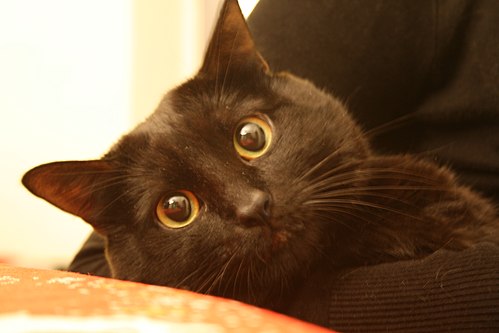
In our house we also want decorations... right? What if i tell you that you can also tell the browser to render images on your website. COOOOL isn't it? Let's put some images our pets for example...
add an image from another website
<img src="https://www.germanshepherds.com/attachments/dsc01667-jpeg.617754/" alt="a description of the image">
It's like going to Lucas ask him if i can hang the same picture of his dog at my house... hahhahaha
paragraphs:
p
<p>this is a paragraph</p>
<p>this is another paragraph</p>
this is a paragraph
this is another paragraph
lists:
unordered list
<ul>
    <li>this</li>
    <li>is</li>
    <li>an</li>
    <li>unordered</li>
    <li>list</li>
</ul>- this
- is
- an
- unordered
- list
ordered list
<ol>
    <li>this</li>
    <li>is</li>
    <li>an</li>
    <li>ordered</li>
    <li>list</li>
</ol>- this
- is
- an
- ordered
- list